
Income Access
How to generate your Income Access API URL and connect it to CasinoFlux
Income Access
Income Access uses a key-based API URL for data access. The API key is embedded directly in the URL — there is no separate API key field required in CasinoFlux.
CasinoFlux only requires the API URL for Income Access. No separate API key field is needed.
Before You Start
Make sure you have:
- An approved Income Access affiliate account with dashboard access
- The API Reports section enabled on your account
If API Reports is not visible in your dashboard, contact your Affiliate Manager and ask them to enable it before proceeding.
Step 1: Go to Reports — API Reports
In your Income Access dashboard, navigate to Reports → API Reports.
Step 2: Enable the API
Toggle Active to ON and click Update to enable API access for your account.
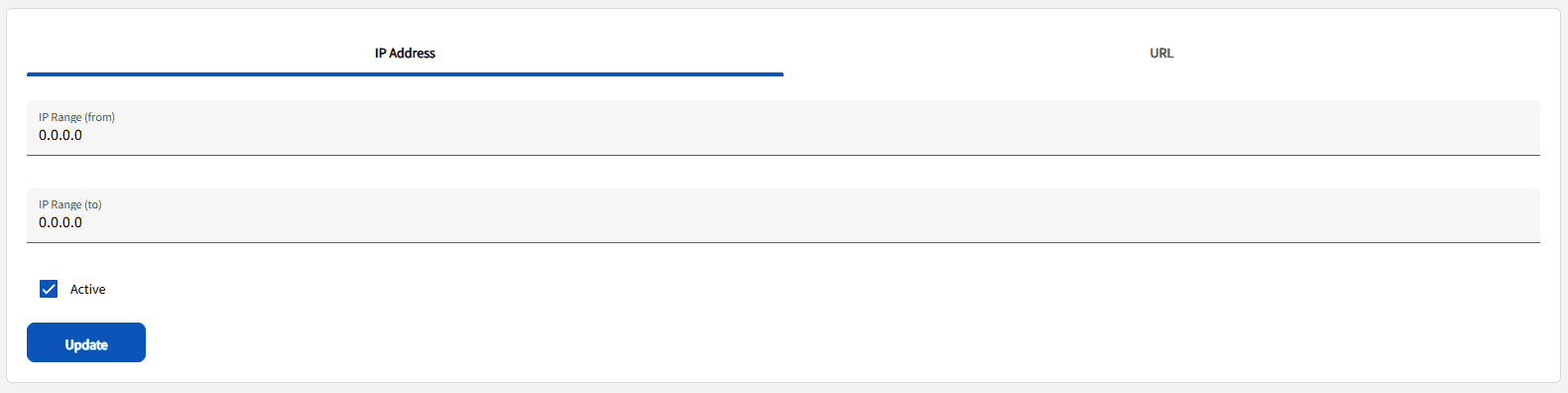
Step 3: Go to the URL Tab
After enabling the API, click the URL tab to access the API URL generator.
Step 4: Generate a New Key
Click Generate a new key to create your API authentication key.

Step 5: Select Report Type
From the report dropdown, select Member Report — Detailed.
You must select Member Report — Detailed specifically. Other report types will not return the metrics CasinoFlux needs.
Step 6: Set a Date Range
Select any start date and end date from the past. The exact dates do not matter at this stage — CasinoFlux will dynamically replace them when fetching data.
Step 7: Select the Merchant
From the merchant dropdown, select the brand or casino this Offer is created for.
Each brand must be tracked as a separate Offer in CasinoFlux. Do not select multiple merchants for the same Offer.
Step 8: Set Format to CSV
Set the report format to CSV.
Step 9: Generate the URL
Click Generate URL. The API URL will appear on screen.
Step 10: Copy and Paste into CasinoFlux
- Copy the generated API URL
- In CasinoFlux, go to Offers → Create Offer (or edit an existing one)
- Open the API Setup tab
- Select Income Access as the platform
- Paste the URL into the API URL field
- Save the Offer
URL Format Reference
A valid Income Access API URL looks like this:
https://partners.oneupaffiliates.com/api/affreporting.asp?key=a1b2c3d4e5f6789012345678abcdef01&reportname=Member+Report+-+Detailed&reportstartdate=2026/04/14&reportenddate=2026/04/15&reportmerchantid=28&reportformat=csv| Parameter | Description |
|---|---|
key | Your API authentication key — generated in Step 4 |
reportname | Must be Member+Report+-+Detailed |
reportstartdate | Start date — CasinoFlux replaces this dynamically |
reportenddate | End date — CasinoFlux replaces this dynamically |
reportmerchantid | Your merchant (brand/casino) ID |
reportformat | Must be csv |
Always confirm the URL contains reportstartdate, reportenddate, reportmerchantid, and reportname=Member+Report+-+Detailed before pasting into CasinoFlux.
Troubleshooting
API Reports section is missing — Contact your Affiliate Manager and request API access to be enabled on your account.
API sync fails — Confirm the URL includes all required parameters. Regenerate the key if it has been revoked or expired.
Wrong data returned — Check that reportname=Member+Report+-+Detailed is present and that the correct reportmerchantid is selected for this Offer.
Missing merchant data — Each brand/casino must be its own Offer with its own reportmerchantid. Do not combine multiple merchants in one URL.
Need help? Contact CasinoFlux support with your Income Access merchant ID and Offer details.